
Unsaved Session Detected
No Pre-Operation Data
Use "Push to Operation" from the Simulation workspace to populate this tab.
No Pre-Operation Data
Use "Push to Operation" from the Simulation workspace to populate this tab.
Select Approvals from the sidebar.
Total Dives
0
Successful deployments
Standby Events
0
Delays recorded
Utilization
0%
Dive time vs shift
Maintenance
0
Active interventions
Time Utilization Breakdown
Hours
Live Status
Live Activity Feed
Standby Analysis
Delays
Sensor Health
Compliance
0%
Shift Performance Comparison
Hours per Shift
Dive Depth Profile
Depth (m)
Pre-Op Readiness
From Sim
Operational ID
Project Identity
✓ From Simulation
ROV Roster
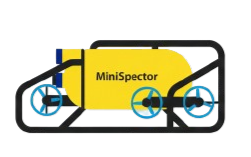
Minispector Systems
| Primary | Minispector No. | Action |
|---|
Crew Roster
Name
Role
Shift
Sign On
Sign Off
No crew members added yet.
Shift Log
No shifts recorded yet. Add crew first, then log shifts.
Sensor & Payload Configuration
No equipment currently assigned. Select a setup method below:
Active Configuration
Camera & Lighting
| Component | Status | Model | Calibration | Notes |
|---|
Sensors & Payload
| Sensor | Status | Model | Calibration | Notes |
|---|
Auxiliary Tool Status
| Tool / Equipment | Status | Notes / Condition |
|---|
Software System Status
Ready to Dive
LARS Configuration & Status
Launch & Recovery System — deployment configuration and pre-dive checklist
Davit System
Diving LARS
Vessel Crane
Operational Status Checklist
— verify before diving operations
Dive Log
Standby Time Log
Technical Fault Log
Maintenance Log
HSE Report
Remarks
Mission Info
Fill in project details and select the operation scope.
Project Details
Operation Scope
Required Sensors
Optional Sensors
MiniSpectors
Select the units for this simulation.
MiniSpectors
Click a unit to select · First selected becomes Main · Click STANDBY to promote
History
Previously saved simulations.
Saved Simulations
No saved simulations yet.
Select an operation scope and at least one MiniSpector to begin